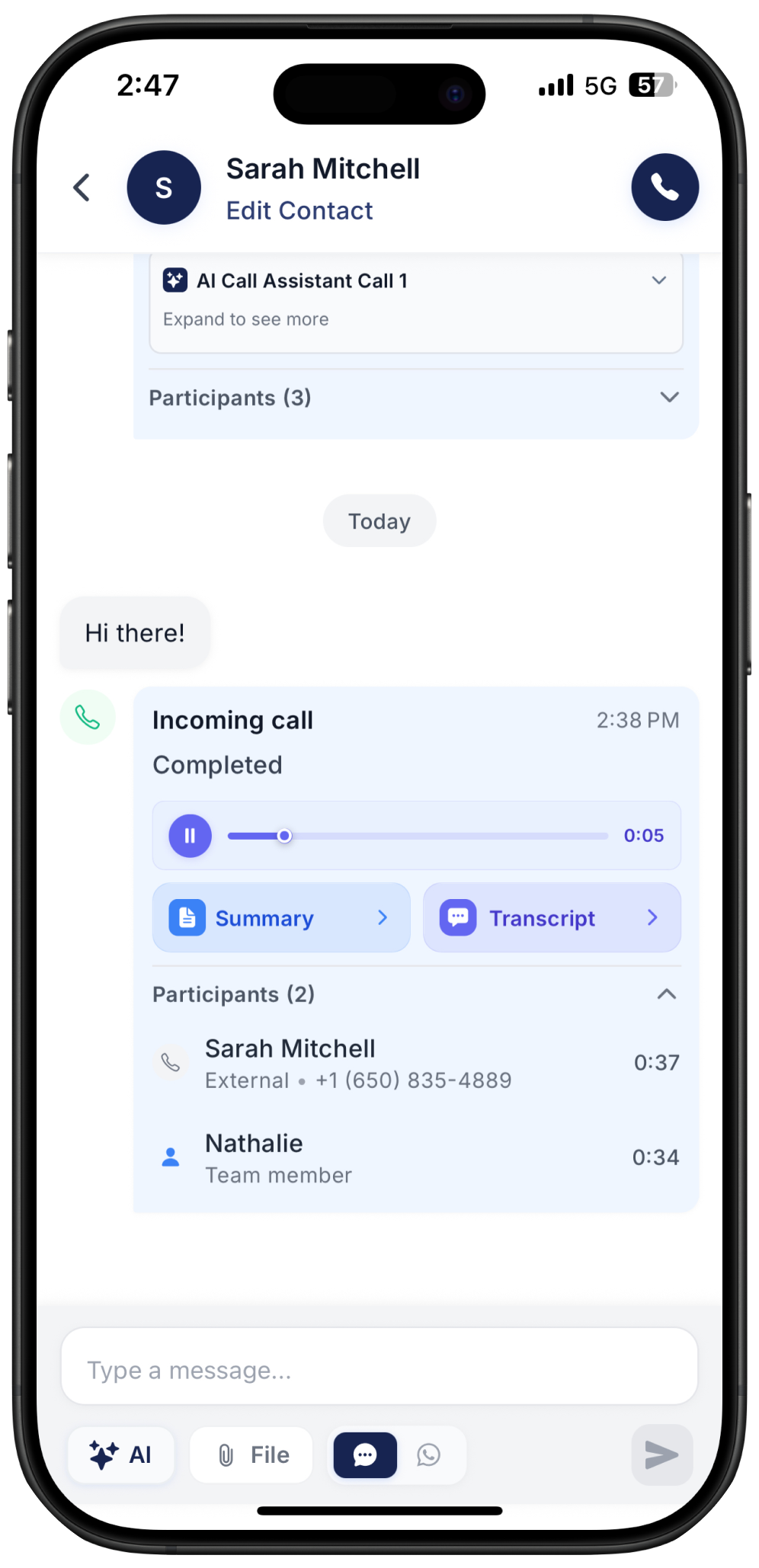
AI Call Summary, Record and Transcript
Whenever a call takes place (either between a customer and your team or between the customer and the AI Call Assistant), you can receive an AI Call Summary. The summary shows the main points discussed during the call and lists the key tasks to follow. It is a simple way to catch up on what was said and plan what needs to be done after the call.
Last updated 9 months ago
Record a call
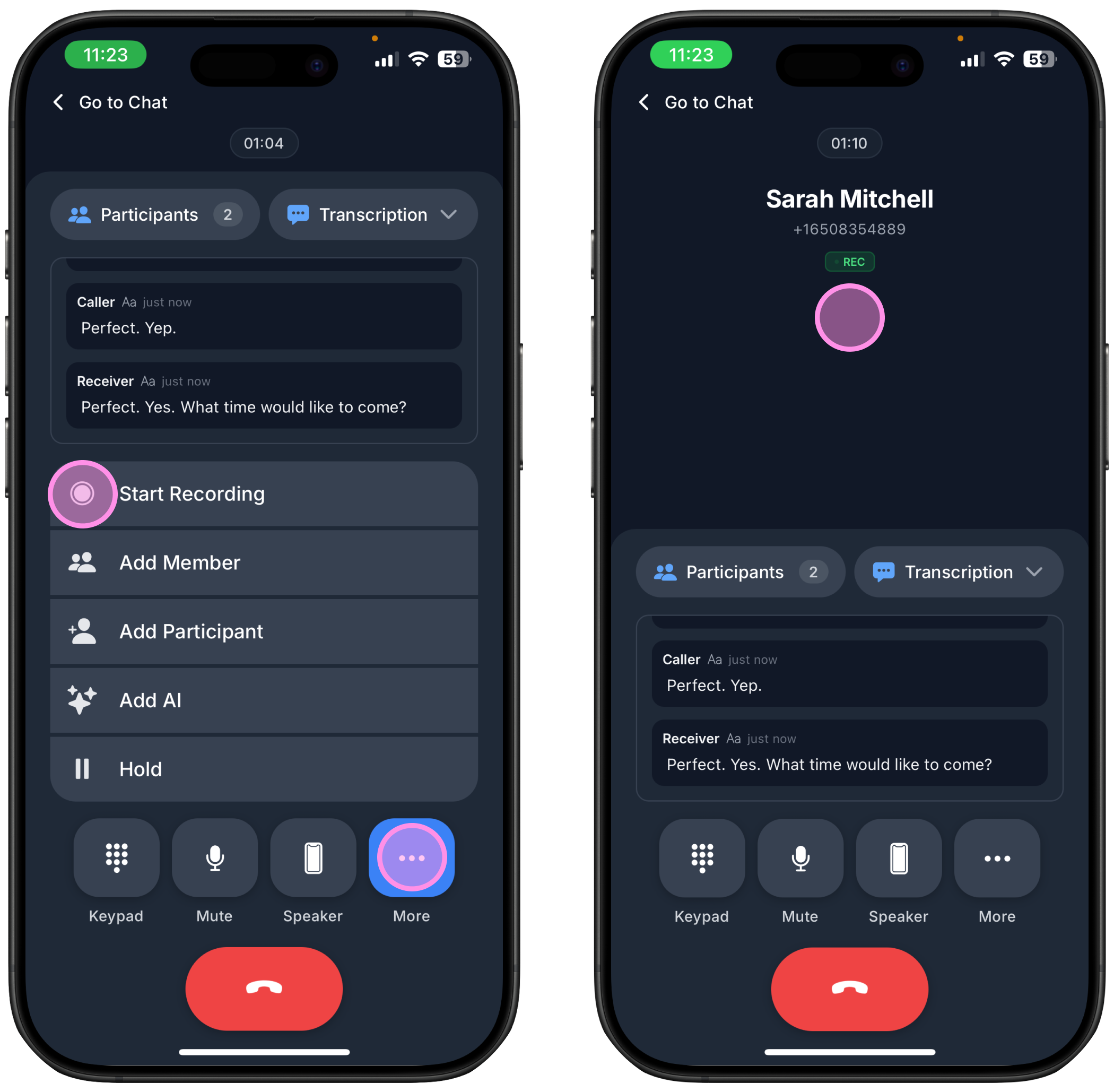
Answer the call
Tap “More”
Tap “Record”
Under the call information you will see a “Rec” sign once the recording starts
For calls handled by the AI Call Assistant, summaries are created automatically every time.
Important: For calls between a customer and a team member, you must record the call to receive a call recording, transcript and AI summary. If you do not record the call, the summary will not be created.
Check the AI Call Summary
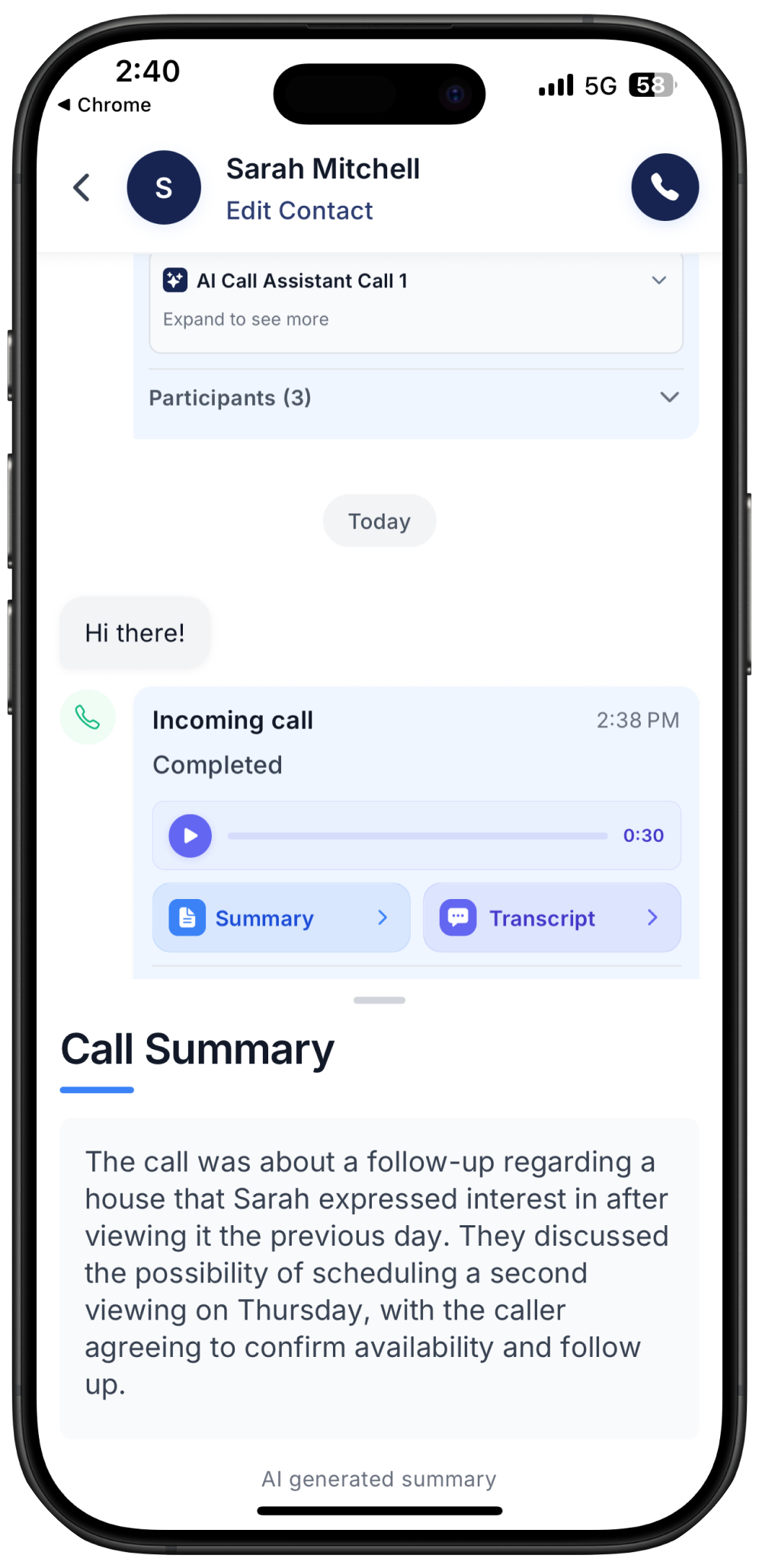
You’ll receive a summary directly in the chat with the customer, highlighting the key points discussed during the call. It’s a quick and easy way to get an overview of any conversation without spending too much time.
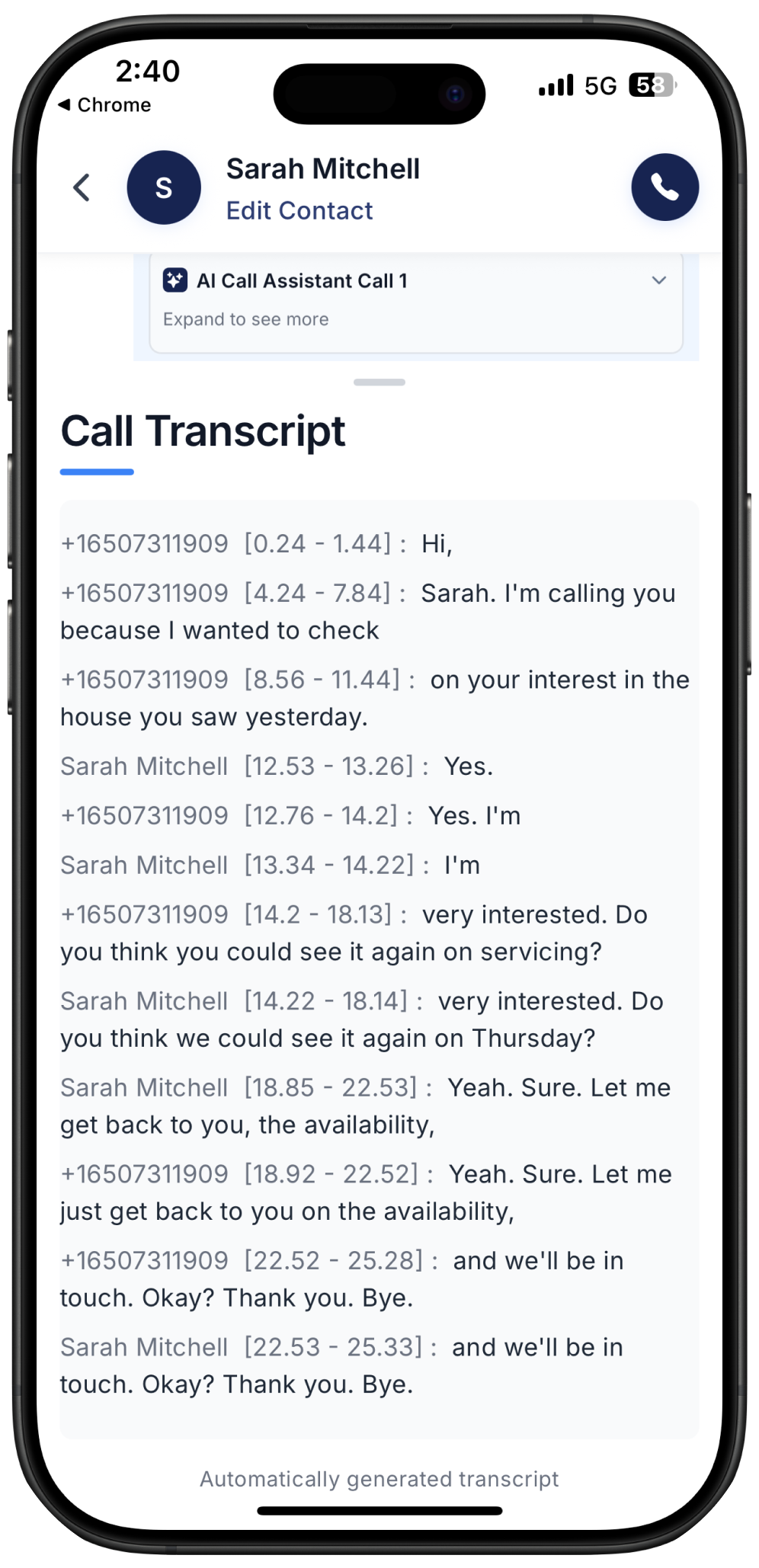
Check the Call Transcript
You’ll receive a full transcript of the call, capturing everything said word for word. The transcript clearly identifies each speaker, even when there are more than two participants. This is a great way to review the conversation and ensure you don’t miss any important details.
Check Call Record
You can also replay the entire call and listen to it even after it has ended. This is especially useful when you want your team members or an AI assistant to handle a call and later review the quality or any specific details to ensure everything was done correctly.