AI Message Assistant
The AI Message Assistant helps you write faster, clearer and more professional messages. You can enhance your writing, change the style, translate messages and get automatic message suggestions based on your past conversations.
Last updated 9 months ago
AI Rewrite
Use this option when you want the AI to improve what you have already written.
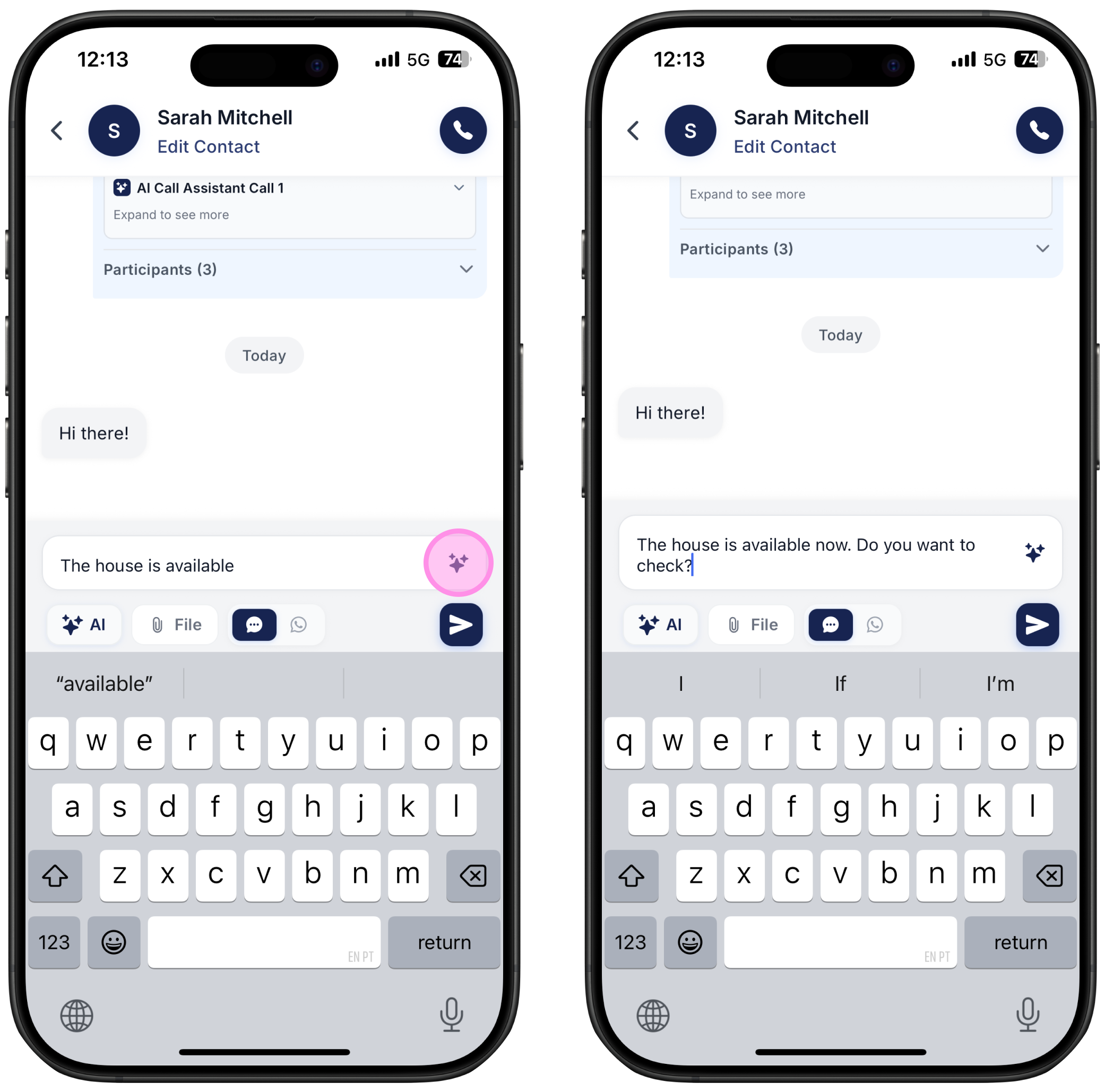
Start typing your reply
Click the AI stars next to the message box
The AI will instantly rewrite your message with clearer and better wording
Change Writing Style
You can adjust the tone or style of your message, such as making it “Shorten”, “Elaborate”, “Formal or “Casual”.
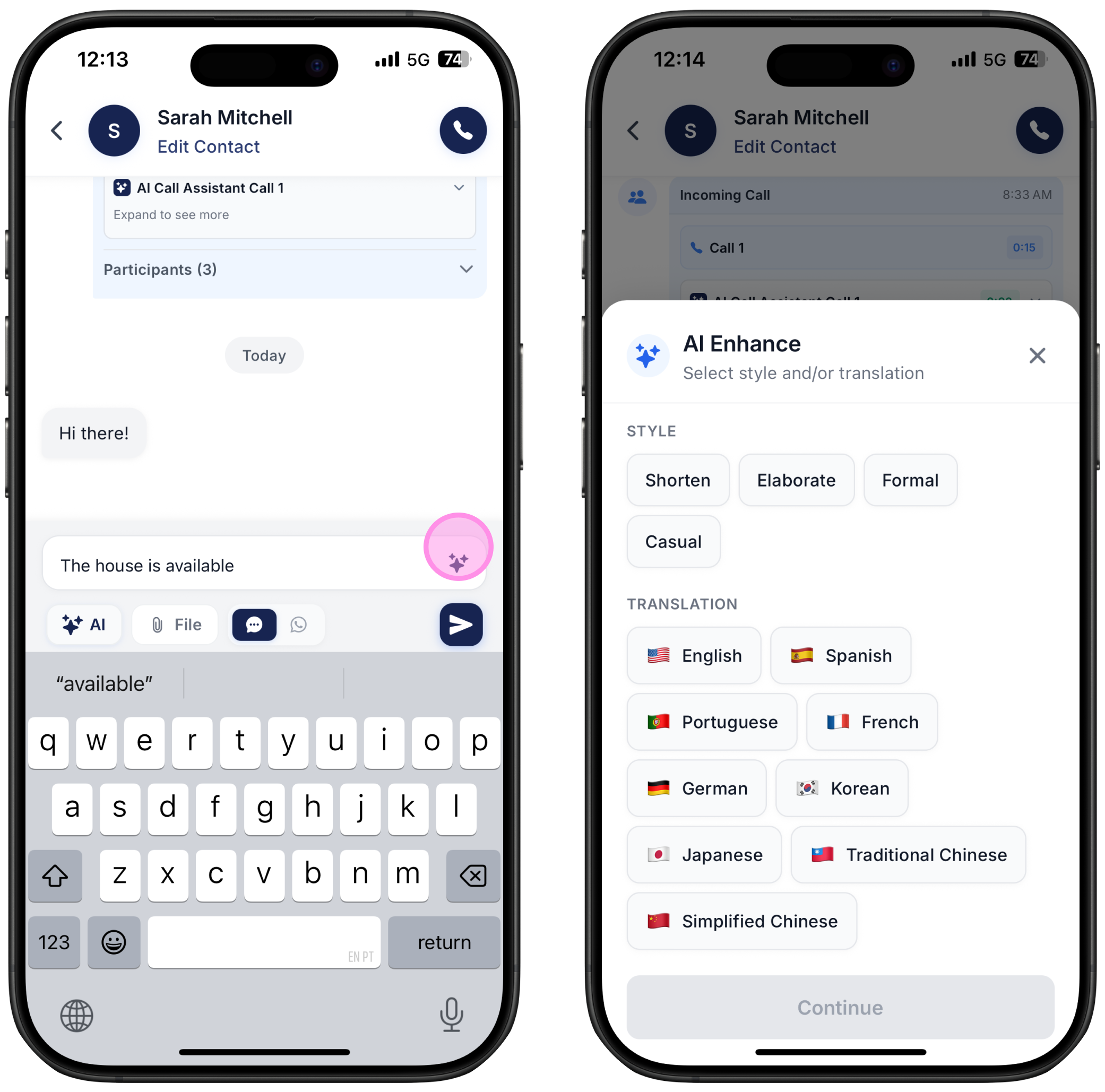
Start typing your reply
Long press the AI stars next to the message box
Choose the style you want to apply
Write in Other Languages
Translate your message into another language without leaving the chat.
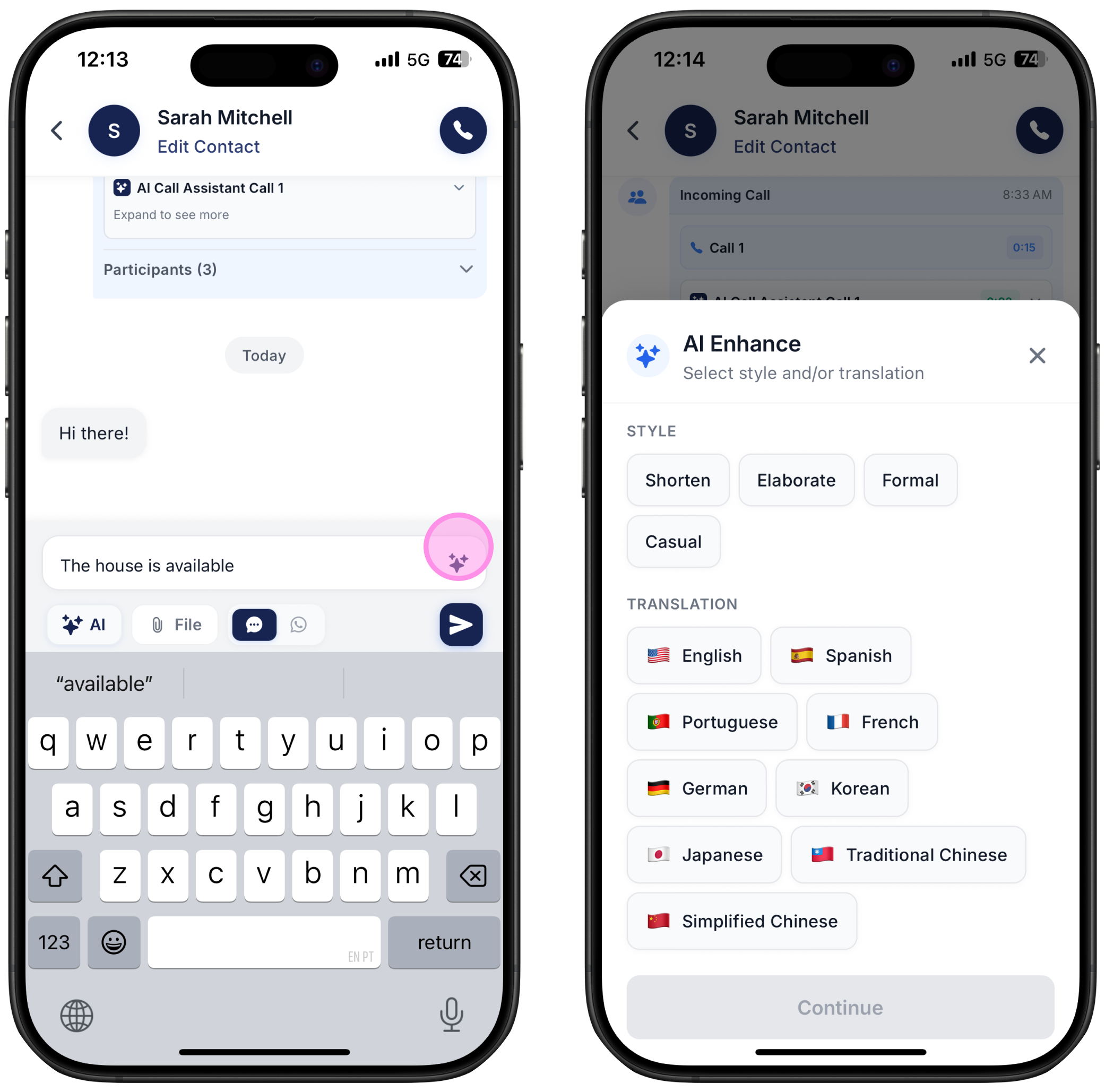
Start typing your reply
Long press the AI stars
Select the language you want
Currently supported languages: Spanish, Portuguese, French, German, Chinese (Simplified), Chinese (Traditional), Korean and Japanese.
Message Suggestions
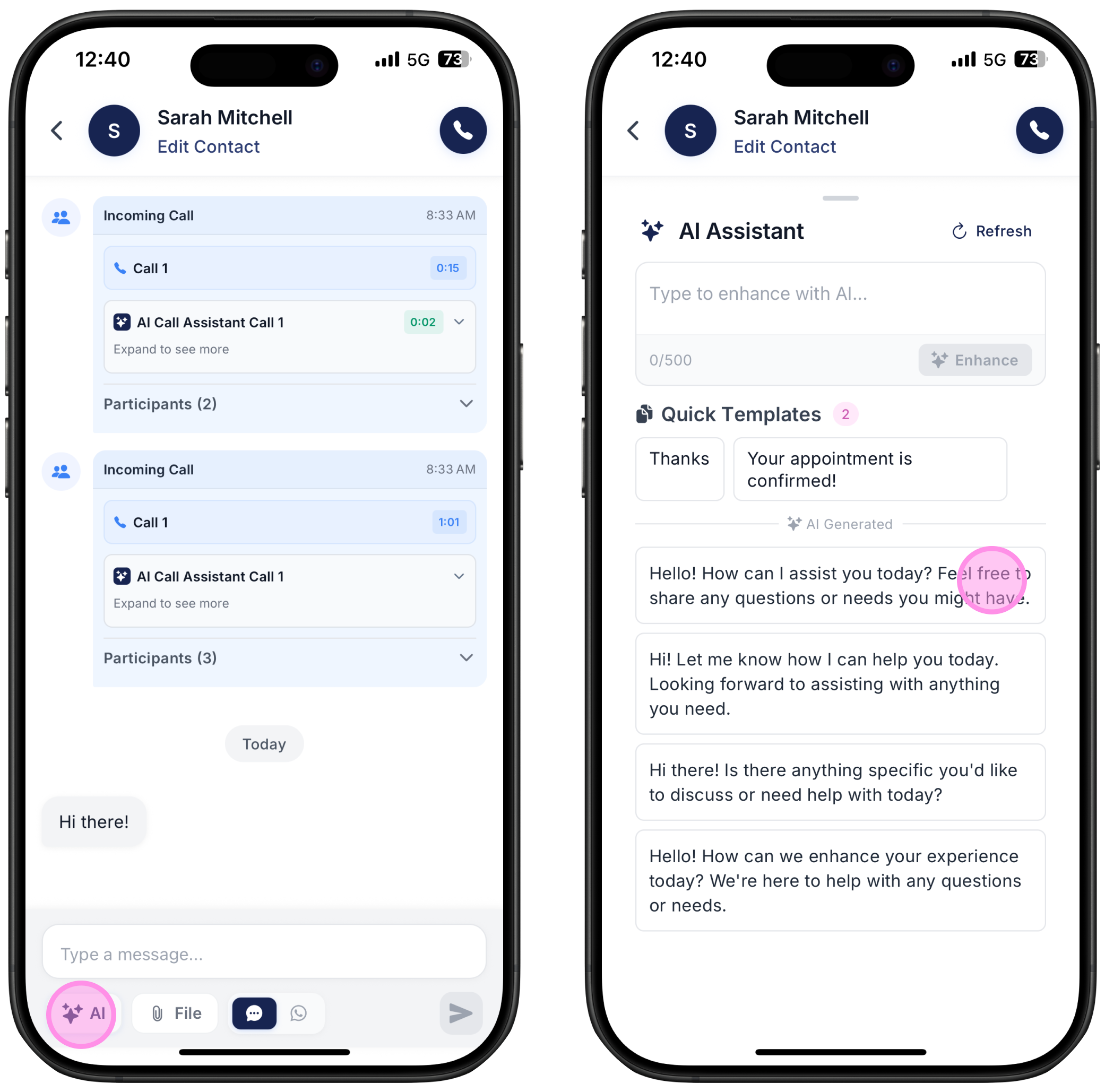
The assistant can also create context based message suggestions to help you follow up, re-engage or start conversations in a more personalized way. Suggestions are generated based on your previous interactions with each customer.
Go to a chat with a customer
Click on the AI stars on the bottom left corner of your screen
And check the several message suggestions
For example, if the customer writes “Hi there”, you can check the AI generated suggestions
AI Message Assistant Setup
Customize how the AI writes so it always matches your preferences and business style. This prompt will be used to formulate both the AI Rewrite messages and also Message Suggestions.
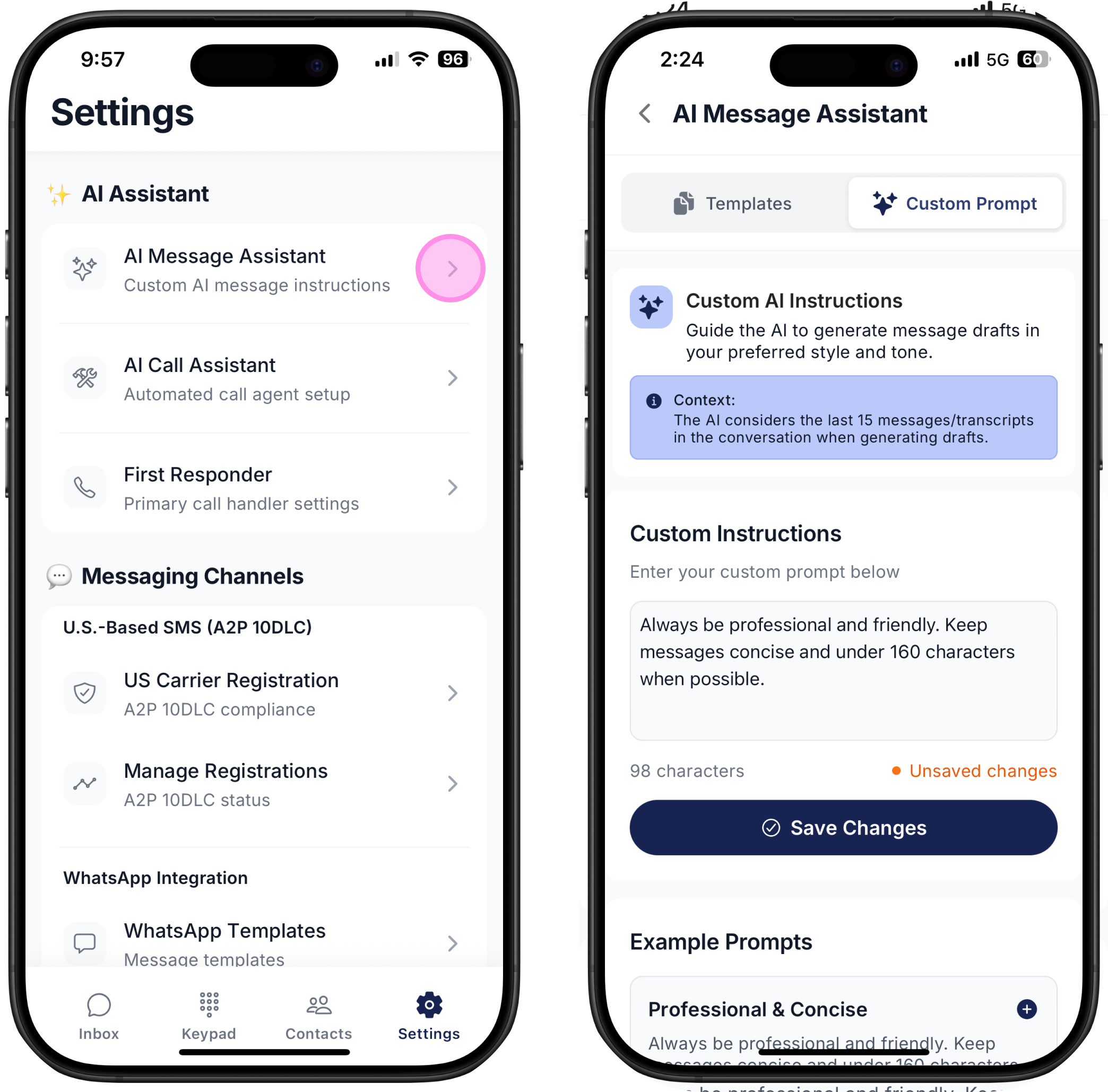
Go to Settings
Select AI Message Assistant
Click Custom Prompt (you can pick from a few examples to start with)
Write a prompt that explains how you want the AI to handle your messages
Pro Tip: Add details such as tone, level of formality and common phrases your business uses. The clearer the instructions, the more accurate the AI becomes.