About WhatsApp
Ringo allows you to message your customers on WhatsApp as well. As an official Meta Business Partner, we use the official WhatsApp API to enable businesses to reach customers using pre-approved WhatsApp templates and to receive messages from customers who contact them directly.
Last updated 9 months ago
In this guide, we’ll walk you through (check other WhatsApp pages on this guide to get the full guide):
What is WhatsApp API and how does it work.
How to set up your WhatsApp account
How to create and get your templates approved
How to communicate with customers on WhatsApp using the Ringo app
How does Ringo use WhatsApp?
Ringo uses the official WhatsApp API (WAPI) so your business can message customers safely and reliably without getting blocked. Because it's an approved business channel, it supports automation, high deliverability, and multiple agents using one number.
WhatsApp does set a few rules, like using approved templates for certain messages and avoiding spam, to protect users and keep communication high-quality. By following these rules, Ringo keeps your WhatsApp messaging secure and compliant.
How Meta’s WhatsApp Messaging Rules Work
Meta regulates business messaging on WhatsApp to protect users from spam and to ensure businesses communicate responsibly. There are two main categories of messages:
Outgoing Messages (Business-initiated)
Incoming Messages (User-initiated)
Outgoing Messages (Business-Initiated)
An outgoing message is when your business reaches out to a customer without receiving a WhatsApp message from them within the last 24 hours.
For these messages, Meta requires that businesses use pre-approved WhatsApp templates, you cannot send free-form messages. This rule is designed to prevent spam and ensure message quality.
You can create these templates directly from Ringo, without having to do it from Meta.
What are the different types of WhatsApp templates?
Templates are messages you create in advance and get approved by Meta. They can include placeholders like {{name}} and can be reused anytime you contact a customer outside the 24-hour window.
For more information on how to get your templates approved check here.
What formats can templates have?
In Ringo, templates may include:
Simple text
Media (images, videos, documents)
Buttons (quick replies or call-to-action links)
Lists and interactive options
For more info on template types on Ringo check here.
Incoming Messages (User-Initiated)
Whenever a customer contacts you on WhatsApp, a 24-hour conversation window opens. Within this window:
You can exchange free-form messages (not templates)
Both sides can send unlimited messages
No pre-approved template is required
Pricing is based on a single 24-hour user-initiated conversation unit
Meta uses this rule to ensure customer control and prevent abuse.
How Ringo Helps You Track the 24-Hour Window
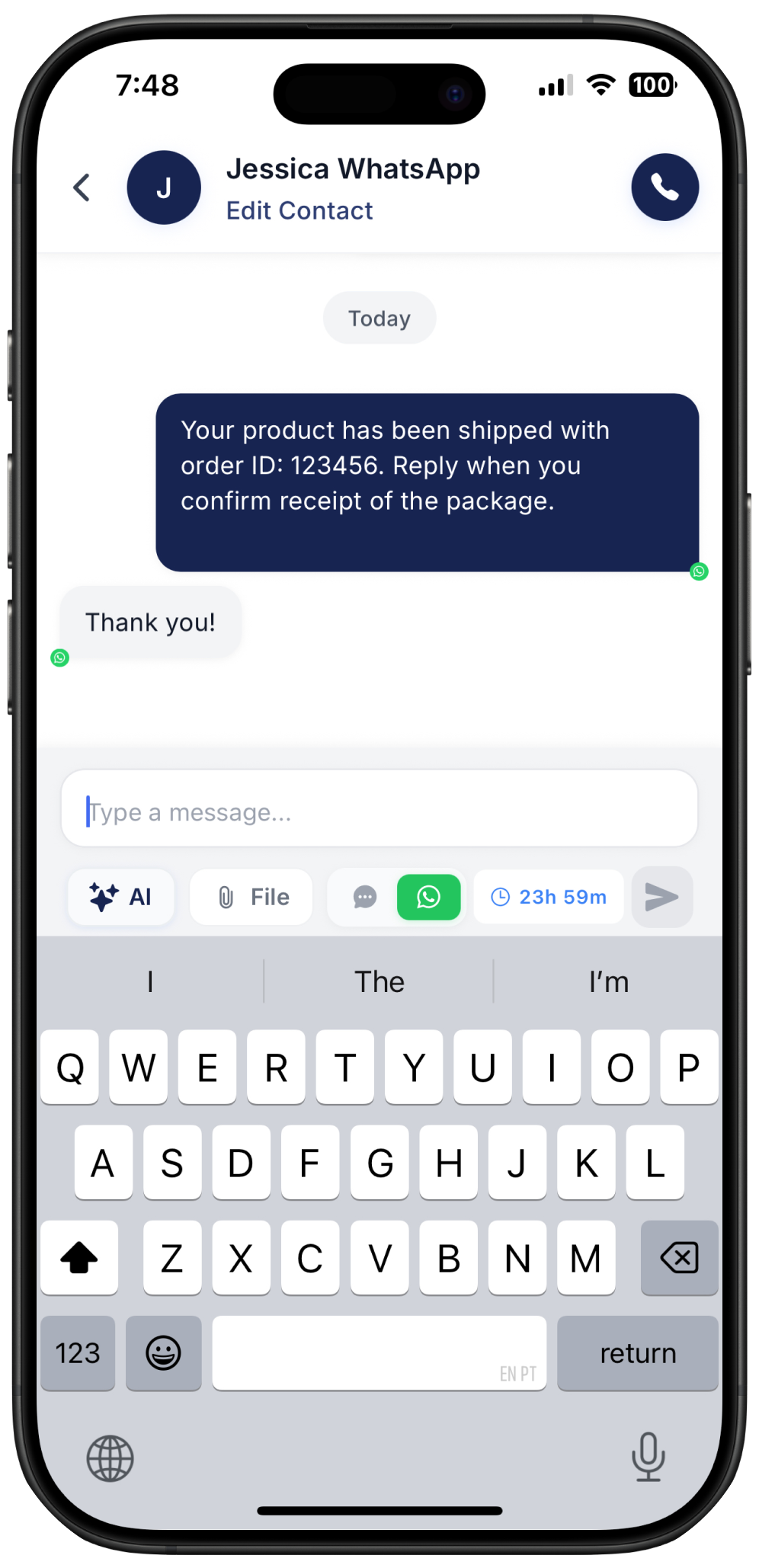
In Ringo, every time a customer sends a message, you’ll see a countdown timer on your screen that shows how much time is left in the conversation window.
If the customer sends a new message, the 24-hour timer resets, giving you a full new window to respond freely.
How Are Outgoing & Incoming Messages Charged?
Currently Ringo is in Beta, meaning any charges through WhatsApp are handled by Ringo so you don’t have to. We just ask for feedback in return!