Text Messages
Ringo uses SMS messaging to help you communicate with customers in a fast and efficient way. This guide explains how to receive and send messages, and how to set message templates for smooth communication.
Last updated 9 months ago
Receiving Messages
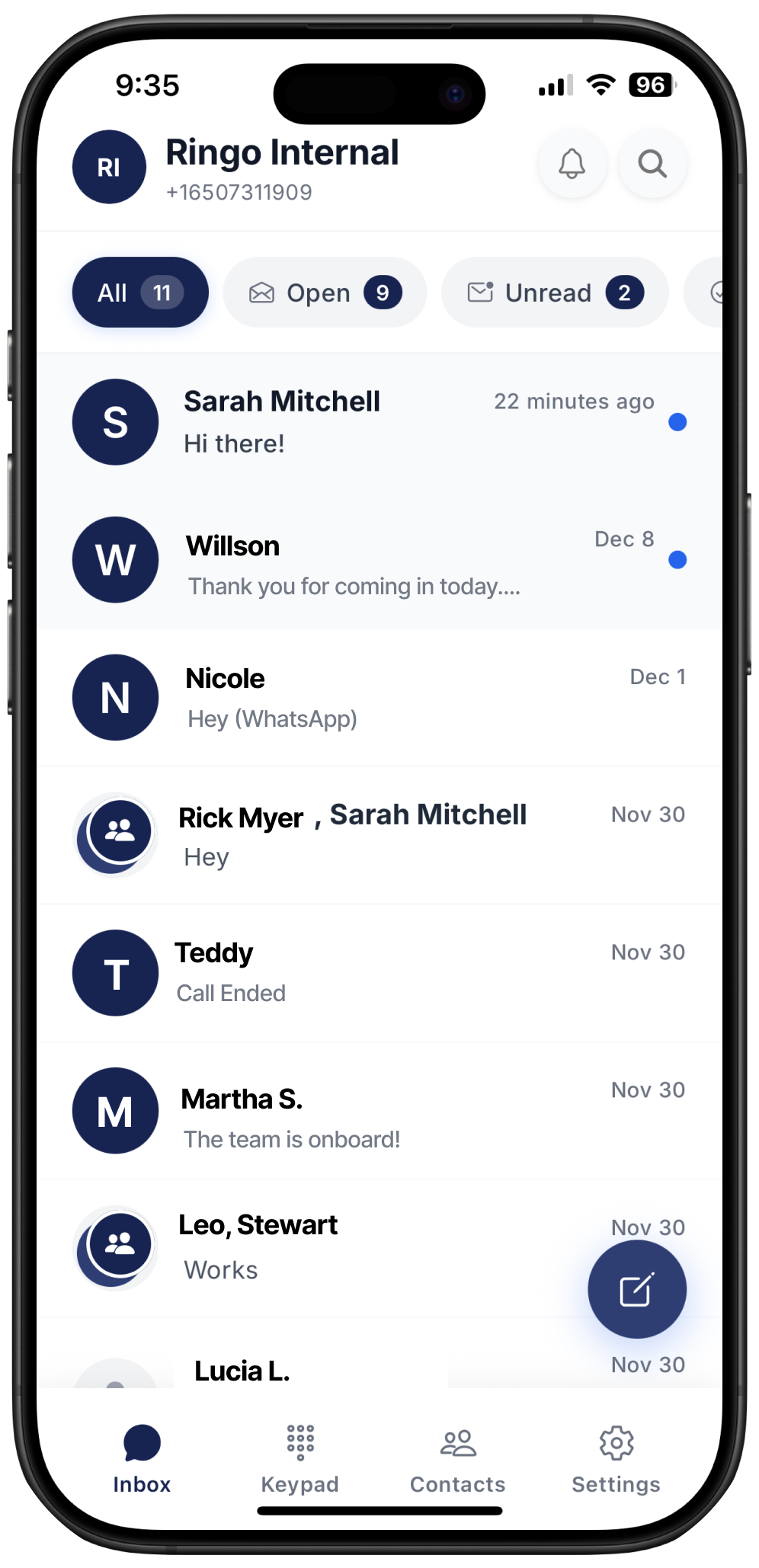
Whenever a customer sends you an SMS, Ringo will notify you right away.
If the message comes from a number that is not yet saved, you can quickly add it as a contact by clicking Add Contact below the phone number. This helps you keep your customer list organized.
Sending Messages
Before sending SMS messages, make sure you have completed your A2P (10DLC) registration. This verification is required to ensure your messages are delivered reliably and comply with carrier rules.
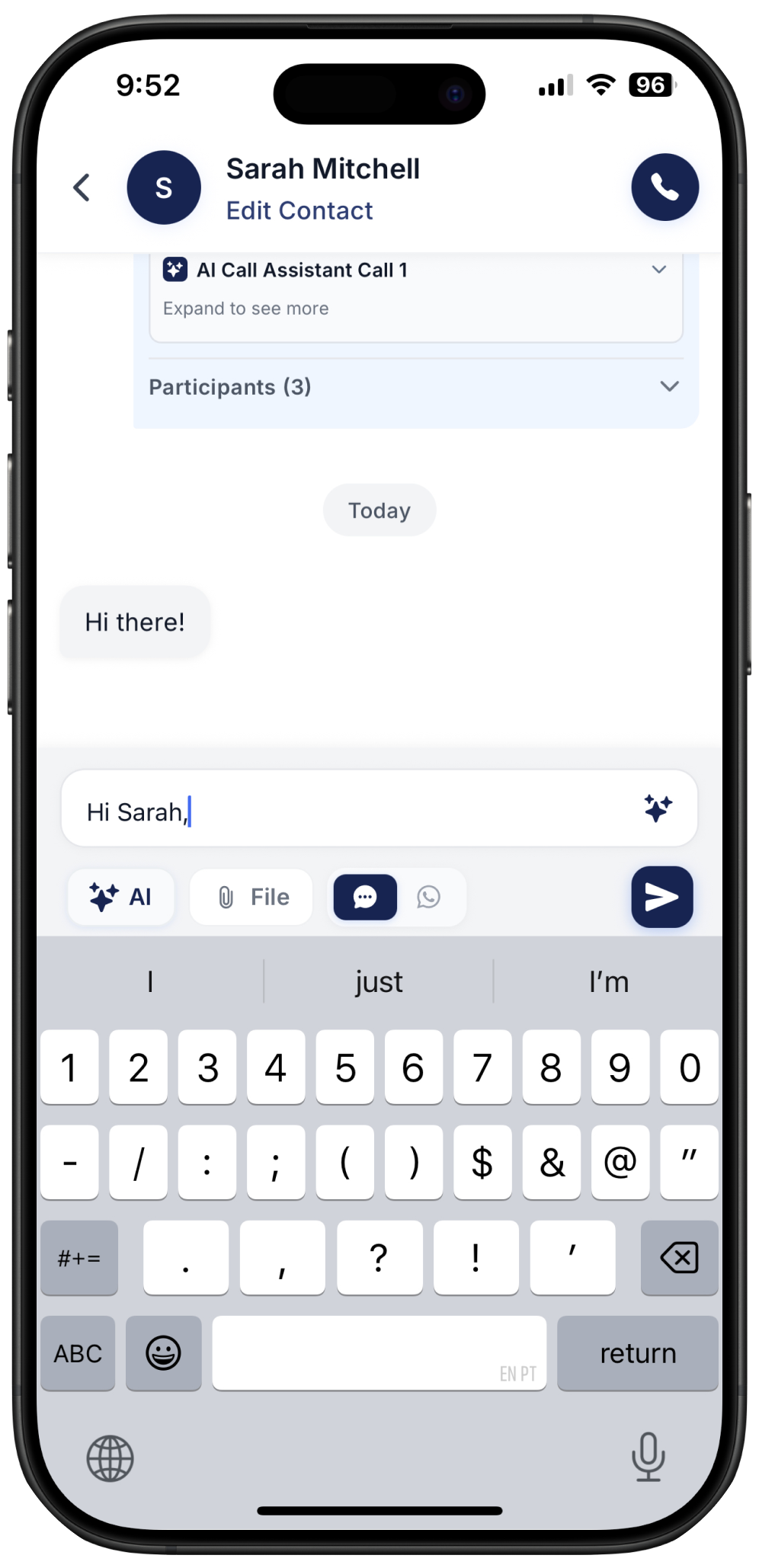
Ringo lets you reply to any customers directly within the same workspace where you receive calls. You can also use AI to help draft high-quality messages or write in other languages. To learn more about AI-assisted message writing, click here.
Sending Attachments
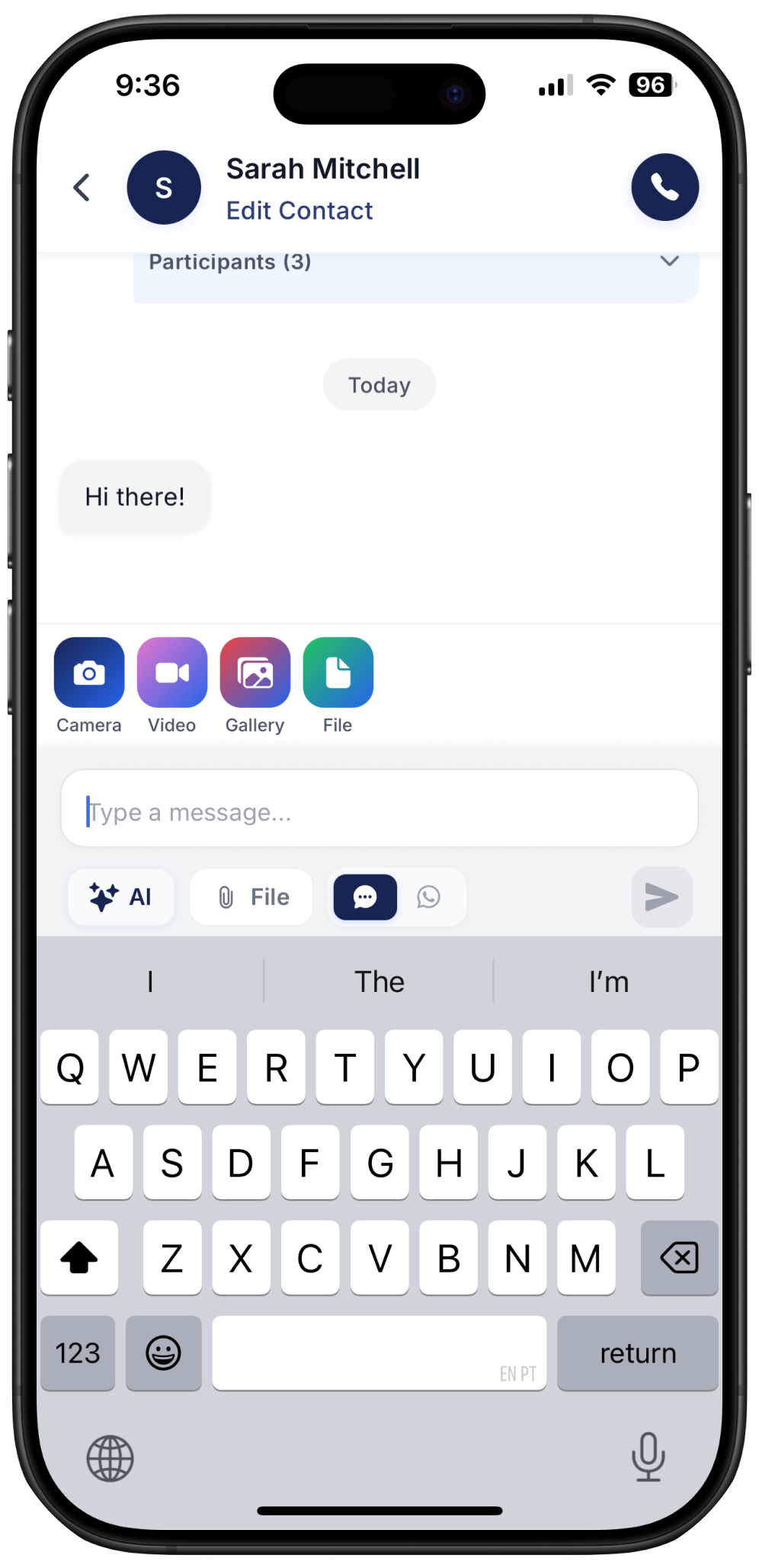
Easily send any attachments to your contacts. You can send photos, videos and documents.
For information on AI Writing Assistant, please check here
Quick Templates
Quick Templates help you save time by reusing messages you send often, such as confirmations, follow ups or opening lines.
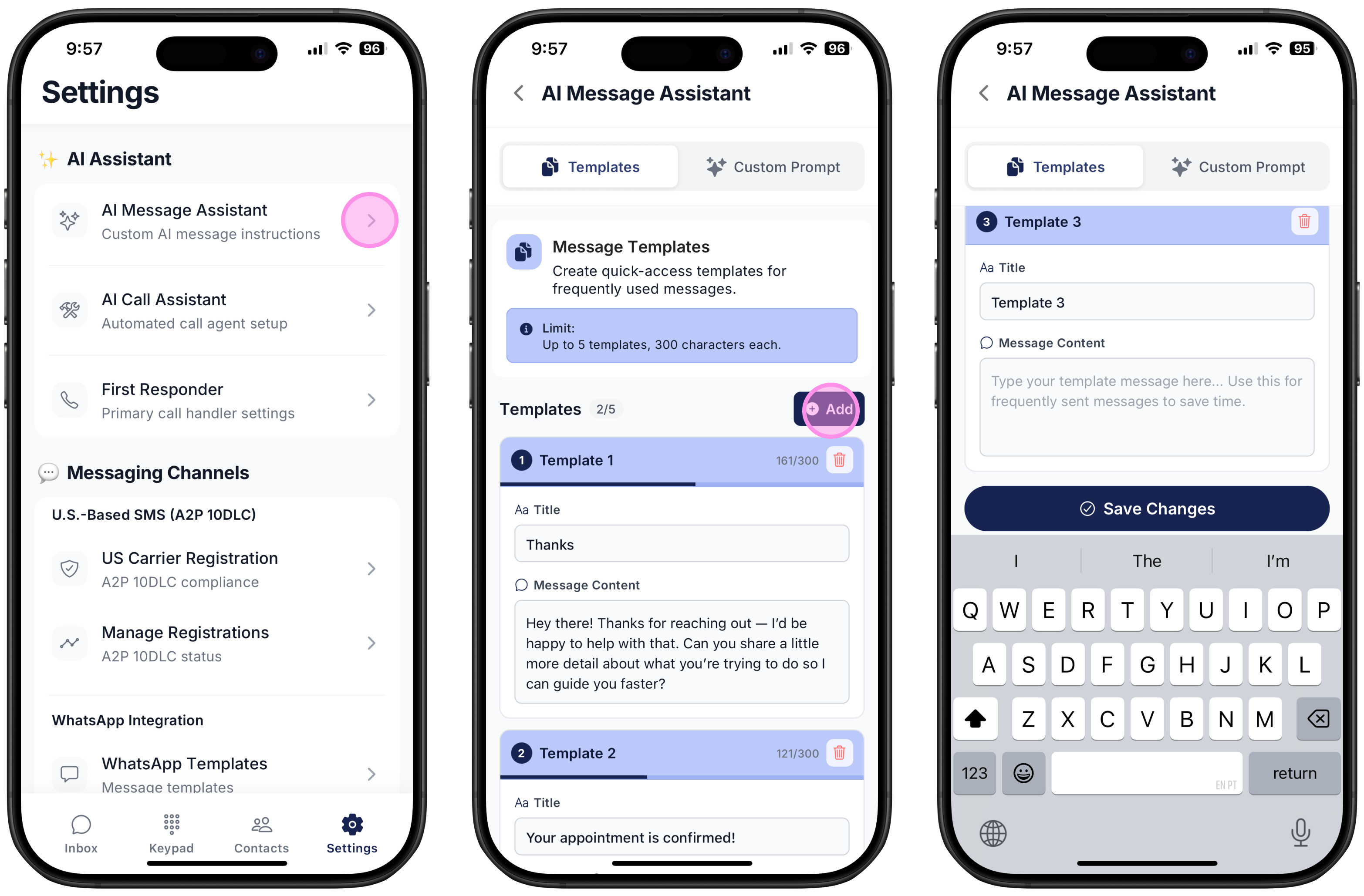
Quick Templates Setup
Go to Settings
Select AI Message Assistant
Click Templates
Select Add to create a new template
Using Quick Templates
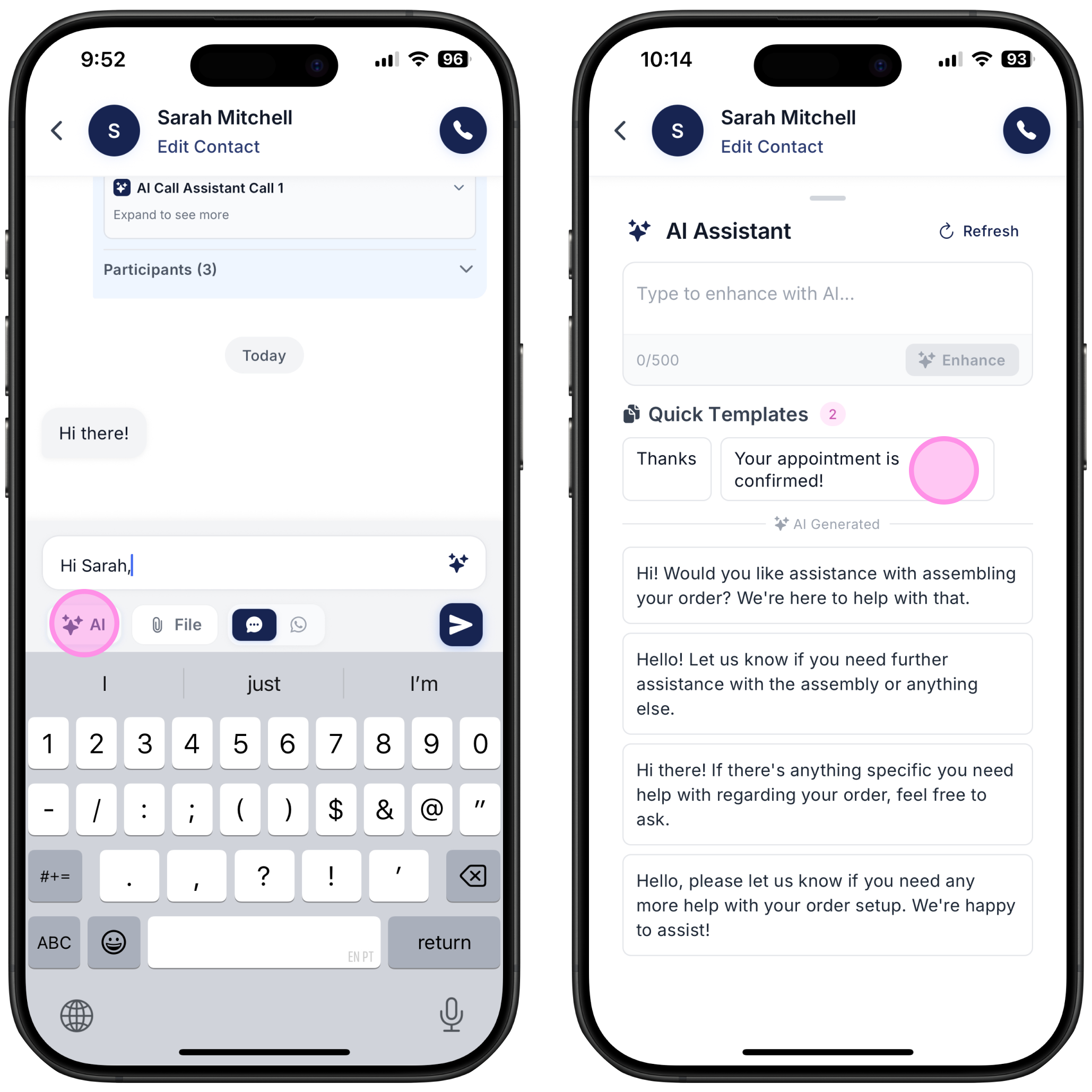
To use your created template in a customer chat:
Open the customer chat
Click on the AI star just under the the text input field
Under “Quick Templates” you will see the Name and the Content of each template created
Click to use it and send!
If you want to find out how to send messages while collaborating with your teammates, go to our Team Collaboration guide.